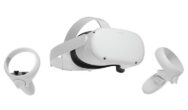
Captain Hardcore Standalone is compatible with all Quest headsets.
There are two ways to install:
- Sideload the .apk and .obb files using Sidequest or
- If your Quest is already in developer mode and the ADB drivers are installed on your PC you can simply run Install.bat. This will remove any previous versions of Captain Hardcore and install both the apk and obb files automatically with one click.
This is the easiest method if you are updating to a newer build.
SIDEQUEST INSTALLATION INSTRUCTIONS
Important notes:
- This requires a PC or Mac with Sidequest installed. Sidequest is a free app that makes side loading easy.
- Make sure to uninstall any previous versions of Captain Hardcore and that you have sufficient storage space or you may get an error.
- If you have any scenes remember to back them up or they may be lost. You can copy them back onto the device after re-installing. Find them in “Internal shared storage\UE4Game\FluidGame\FluidGame\Scenes”.
- Download the latest Captain Hardcore Quest APK from Patreon. The file is zipped, so extract it to a folder on your PC before continuing.
- If you haven’t sideloaded before, install Sidequest Desktop App on your PC: https://sidequestvr.com/#/setup-howto
- Open Sidequest and make sure your Quest is connected.
- Click the “Install Apk file from folder” button (in the top right of the Sidequest window) and install the files in this order:
FluidGame-Android-Shipping-arm64.apk
main.1.com.AntiZeroGames.CH.obb
patch.1.com.AntiZeroGames.CH.obb - “CH_Quest” will then appear under “Unknown sources” in your Quest library. You might need to close and re-open the library for it to appear.
- The game will ask for Patreon verification and file permissions on first launch. A login page will open inside the Quest browser where you can copy a key, then return to the game, press paste and activate.
GAME WON’T LAUNCH
- If you’re stuck on an infinite loading screen/three dots make sure both the APK and OBB files were installed successfully
- Both main.1.com.AntiZeroGames.CH.obb and patch.1.com.AntiZeroGames.CH.obb should be in sd card\obb\com.AntiZeroGames.CH
UNINSTALLING OR UPDATING
- If you’re updating make sure to uninstall the previous version first. Then follow the installation instructions again to load the new version.
- The easiest way to uninstall is to go to Unknown Sources in your library, press the three dots on the right of the game then press uninstall.
- Scenes shouldn’t be deleted when you uninstall but you may want to back them up just in case.
SHARING SCENES
Scene files are saved in “Internal shared storage\UE4Game\FluidGame\FluidGame\Scenes”. You can share the .chs files in the Quest scenes channel on discord.
HIDING APPS
If you don’t want anyone to see Captain Hardcore in your library you can turn off developer mode to hide all side loaded apps.
Update 0.4 also makes it possible to lock the app with a pin code. If you forget the code you can delete the folder “Internal shared storage\UE4Game\FluidGame\FluidGame\Saved\SaveGames” to reset it.